DARQ STEAM KEY GLOBAL (PRICE WITHOUT ANY ADDITIONAL CHARGES)
$27.78
$47.5
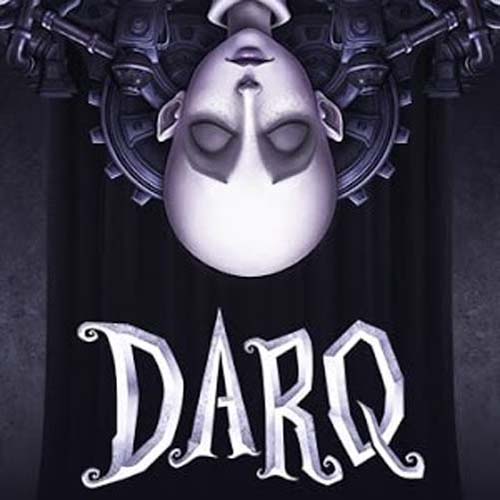
About the Game DARQ tells the story of Lloyd, a boy who realizes he’s dreaming. Unfortunately for Lloyd, the dream quickly turns into a nightmare, and all attempts to wake up end in failure. As he explores the darkest corners of his subconscious, Lloyd learns how to survive the nightmare by defying the laws of physics and manipulating the fluid fabric of the dream world. In addition to gravity-defying puzzles, Lloyd must use stealth when near enemies. He has no chance of winning in an open confrontation, as the creatures he encounters are much stronger and faster than he is. Instead, he must rely on careful planning to avoid detection. Features Psychological horror unfolds in a lucid dream, based on slow build-up and eerie atmosphere, rather than gore and violence. Unique art style and detailed environments to explore. Sound design by Bjørn Jacobsen, known for his work on games like Cyberpunk 2077 and Hitman. Puzzles that include bending the laws of physics (walking on walls and ceilings), manipulating the dream world (moving objects, rotating rooms), collecting and using found items, and avoiding enemies. Hidden secrets to discover (optional, for hardcore players). Additional Game Details Developer: Unfold Games Publisher: Bloober Team Platforms: PlayStation 5, Nintendo Switch, PlayStation 4, Xbox One, Microsoft Windows, Xbox Series X/S Mode: Single-player video game Genres: Puzzle Video Game, Stealth game Release Date: August 15, 2019 LANGUAGE INTERFACE English, German French, Spanish Dutch, Hungarian Japanese, Polish Portuguese, Russian Swedish, Chinese Norwegian, Greek Korean, Turkish Ukrainian, Italian Portuguese – Brazil SYSTEM REQUIREMENTS OS: Windows 7 / 8 / 10, 64-bits Processor: Intel Core i3-530 Memory: 4 GB RAM Graphics: NVIDIA Geforce GTX 260 / ATI Radeon HD 4870 Storage: 3 GB available space Additional Notes: X-Box One / X-Box 360 / Logitech F310 / Steam Controllers are supported. More coming soon How to activate a Steam key: – Go to: http://store.steampowered.com/ and download the STEAM client – Click “Install Steam” (from the top right corner) – Install and launch the app, log in with your account name and password (create one if you don’t have one). – Follow these instructions to activate a new retail purchase on Steam: – Launch Steam and sign in to your Steam account. – Click on the Games Menu. – Select Product Activation on Steam… – Follow the on-screen instructions to complete the process. – After successfully verifying the code, go to the “MY GAMES” tab and start the download.