VERDUN STEAM KEY EUROPE (PRICE WITHOUT ANY ADDITIONAL CHARGES)
$14.76
$23.76
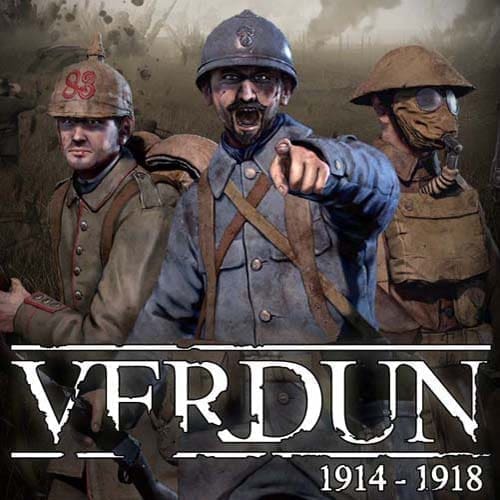
ABOUT THE GAME Verdun is the first multiplayer FPS in a realistic World War I setting. The relentless trench warfare offers a unique battlefield experience, immersing you and your team in intense battles of attack and defence. The game is set on the Western Front between 1914 and 1918, in one of the bloodiest conflicts in world history. The developers were inspired by the infamous Battle of Verdun in France in 1916. The game offers 4 different game modes. Frontlines, Attrition, Rifle Deathmatch and Squad Defense. Many historically accurate features are also included, including realistic WW1 weapons, authentic uniforms, and maps based on the actual battlefields of France and Belgium. The Frontlines game mode is unique in its tactical complexity. Realistic trenches are difficult to fight and require tactical cunning to capture and defend. The Entente and Central Powers are trying to gain control of frontline sectors. A battle rape enemy trenches during an offensive battle to gain ground. In another battle you may be defending newly captured territory from an enemy counterattack. Players can choose to be part of one of the many squad types in the game, each with their own unique tactical role. By working alongside your friends, you can gain experience that improves your team’s strength and flexibility. As you gain more combat experience and advance in rank, you also earn career points that you can use to unlock specializations, weapons and equipment. In the Attrition game mode, the Entente and Central Powers face off against each other in a battle. Each side has a number of tickets representing the amount of manpower they have. When a player is killed and respawns, one ticket is removed from the side to which the player belonged. When a team has no more tickets, players on that side cannot respawn. Rifle Deathmatch is a free-for-all game mode where all players face off in an exciting contest of skill using only bolt-action rifles. In Squad Defense mode, the player and their teammates must defend a position as long as they can against endless waves of AI-controlled attackers. Features Realistic World War 1 game: Authentic weapons with realistic bullet physics, skill-based weapon handling, grunt, poison gas with claustrophobic gas mask experience, artillery and artillery barrages FPS based tactical team: Unique team leveling system, distinct team types and roles, voice chat True trench warfare: Dynamic real-time front line with momentum-based attack and counterattack play Authentic World War 1 setting: Typical WW1 music and style, historical battlefields on the Western Front Challenging gameplay modes: squad-based Frontline, tactical Attrition, skill-based Rifle Deathmatch and desperate survival in Squad Defense OTHER GAME DETAILS Platforms: PC, PlayStation 5, PlayStation 4, Xbox One Developers: BlackMill Games, M2H, Abstraction Genres: First Person Shooter Video Game Series: Blackmill Games’ 1914-1918 WW1 First release date: September 19, 2013 Function: Multiplayer video game Publishers: BlackMill Games, M2H, GS2 Games Inc LANGUAGE INTERFACE English German French Spanish Portuguese Russian Italian SYSTEM REQUIREMENTS PC System Requirements OS: Windows Vista/7/8 Processor: Intel Core2 Duo 2.4Ghz or Higher / AMD 3Ghz or Higher Memory: 3 GB RAM Graphics: Geforce GTX 960M / Radeon HD 7750 or higher, 1GB video card memory DirectX: Version 9.0c Network: Broadband Internet connection Storage: 12 GB available space Additional Notes: Multiplayer only, make sure you have a stable and fast internet connection. How to activate a Steam key: • Go to: http://store.steampowered.com/ and download the STEAM client • Click “Install Steam” (from the top right corner) • Install and launch the app, log in with your account name and password (create one if you don’t have one). • Follow these instructions to activate a new retail purchase on Steam: Launch Steam and sign in to your Steam account. Click on the Games Menu. Select Product Activation on Steam… Follow the on-screen instructions to complete the process. • After successfully verifying the code, go to the “MY GAMES” tab and start the download.